Uniden's Extreme Software Upgrade for the HomePatrol HP-1 and HP-2 radio is the ultimate toolkit for the serious scanner hobbyist and communication professional.
The Extreme Upgrade allows the radio to not only perform all the regular scanner functions, but also analyze trunking systems in great detail, find new talkgroups and frequencies, perform direction finding analysis, and much more. Using Extreme is like using a whole suite of custom radio research scanner apps. The software is informative, exciting, and entertaining. With Extreme, Uniden has taken scanning to new heights.
You must retrieve the ESN and SUM codes from the scanner by pressing: Menu > Settings > See Scanner Information > Firmware Version.
Copy them EXACTLY into the dropdowns above. BOTH codes are required. We are not responsible if you provide incorrect scanner information.
Upgrade Keys will be sent to the customer via email. It is not a code, so do not confuse the product code with the upgrade keys.
A separate email will arrive after your order confirmation with the keys. Please provide a valid email address and check your spam or junk folder, as these emails are sometimes incorrectly flagged.
Extreme Update Service and other labor fees are non-refundable.
Complete front-panel programmability lets you edit existing systems in favorites lists or create new systems from scratch. You are no longer limited to database-only programming while away from your PC.
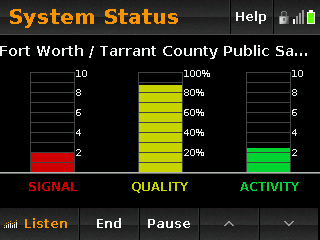
Trunked System Load / Reception Status Tool
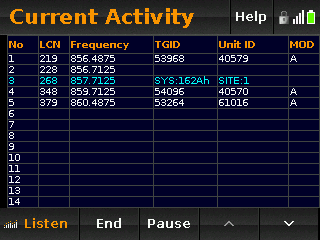
Current Trunked System Activity
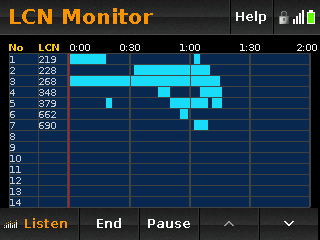
Trunked LCN Monitor
Monitor activity over time.
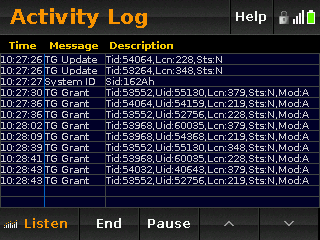
Trunked Activity Logging
Includes log files for detailed review.
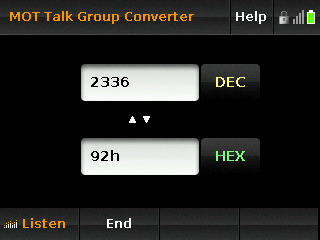
Talkgroup Converter
Switch between Decimal and Hex channel representation.
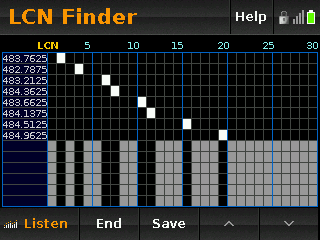
LCN Finder
Helps determine Logical Channel Numbers for EDACS and LTR trunked systems.
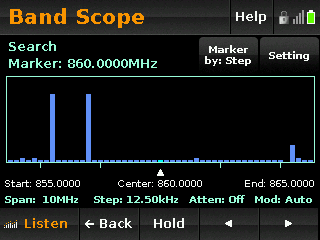
Band Scope
Plots RSSI versus frequency across a selected frequency range.
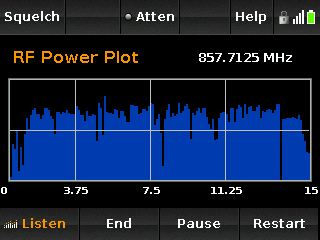
RF Power Plot
Plots RSSI versus time for a single frequency to help locate transmission sources, monitor antenna performance, and identify interference.
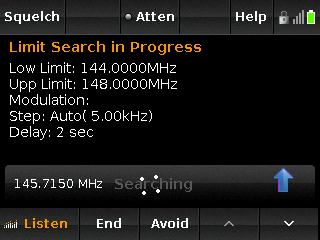
Limit Search
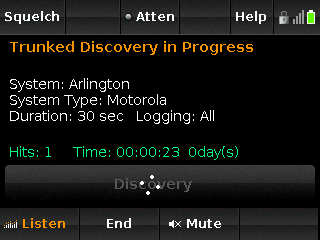
Trunking System Discovery
Makes it easier to discover new channels on trunked radio systems. The HomePatrol continuously monitors the selected system and compares received channel grants to known channels in your area.
When a new Talk Group is discovered, it records up to 3 minutes of audio so you can later review and identify the agency using the channel.
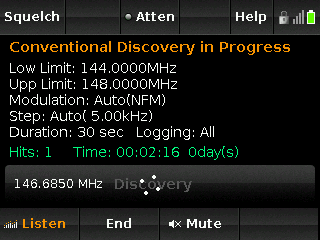
Conventional Discovery
Helps you find active frequencies in your area that are not yet in the database. When activity is detected, the HomePatrol compares the frequency and subtone settings against known channels.
If the information is not already in the database, the scanner records up to 3 minutes of audio so you can later review and identify the agency using the frequency.