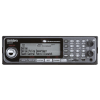
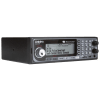
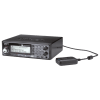
The BCD536HP is Uniden's new flagship mobile scanner...which incorporates two firsts. Like the BCD436HP, it is the first standard mobile scanner to include the ease of use of the HomePatrol-style database; simply enter your zip code and away you go. But, the BCD536HP adds to that WiFi connectivity, allowing you to listen to and control your scanner using your smartphone or tablet...from anywhere in your home, vehicle, or around the world.
Product Description
Unit Size
W 7 1/8" x H 2 1/8" x D
5 7/8" (without knobs)
Frequency Coverage:25-512 MHz
758-824 MHz
849-869 MHz
894-960 MHz
1240-1300 MHz
TrunkTracker V supports the following:APCO Project 25 Phase I and Phase II, X2-TDMA, Motorola, EDACS, and LTR Trunked Radio Systems
Pre-Programmed Database4 Gigabyte microSD card holds the entire USA and Canada database of radio systems, plus leaves room for hundreds of hours of audio recording.
Easy to program- Flexible Easy Channel Selection using Zip Code or GPS and Service Types — just pick the kinds of channels you want to hear and tell the BCD536HP where you are and let it do the rest.
- Flexible Scanning — scan from any combination of the main database and Favorites Lists
Easy to use- Sentinel Software makes database and firmware updates simple. Also allows you to create, edit, and manage your Favorites Lists.
- Complete Front-Panel Programmability — create custom Favorites Lists either using systems from the main database as a starting point or program your systems from scratch.
- Easy Scan Control using the dedicated System, Department and Channel Hold buttons.
- Quick Key access to 100 Favorites Lists, 100 Systems per Favorites List, and 100 Departments per System.
The features you love!- Close Call® RF Capture with Do-Not-Disturb automatically tunes the scanner to nearby transmissions without interrupting reception in progress.
- NOAA Weather Alert with SAME
- Temporary Avoid lets you quickly silence unwanted systems, departments, or channels while allowing you to restore them by cycling power.
- Included Sentinel Software makes database and firmware updates simple. Also allows you to create, edit, and manage your Favorites Lists.
- USB PC Connectivity
Unit Features- Back-lit Display and Keypad
- Back-light-on-Squelch option allows the back-light to remain on during an entire transmission.
- 64 x 288-Pixel Dot-Matrix Display
- Serial GPS input for location-based scanning using the Uniden GC-GPSK.
Frequently Asked Questions
Q: How easy is the BCD536HP to set up and use?
A: The BCD536HP is very easy to use, even for beginners. Simply enter your zip code and the scanner will automatically load local Police, Fire, and EMS channels from its built-in database. Most users can be up and listening in just a few minutes.
Q: Can the BCD536HP receive digital police and emergency communications?
A: Yes, the BCD536HP supports modern digital systems including APCO Project 25 Phase I and Phase II. Optional upgrades are also available for DMR, NXDN, and ProVoice, allowing you to monitor even more agencies depending on your area.
Q: Do I need to program the scanner myself?
A: No manual programming is required to get started. The scanner uses a nationwide database that updates regularly, so entering your zip code is all you need. However, advanced users can customize favorites lists and settings for more control if desired.
Set-Up & Optimize Programming Service
Professional Programming for Your BCD536HPGet your scanner set up the right way from the start.
Programming is the most important step in getting the BCD536HP to work properly. While this scanner can be very easy to use with zip code setup, getting the best performance still depends on proper programming and setup.
Without the right setup, you may miss important local channels or hear too much unwanted traffic. That often leads to frustration and confusion.
Our programming service ensures your scanner arrives ready to use for your specific area, so you can turn it on and start listening right away.
What We Do
With Scanner Master's exclusive Set-up & Optimize service we see to it that your BCD536HP is fully updated and ready to use for your area, perfect for your own use and especially perfect for a gift.
First, we optimize the internal database by updating the frequency library, which changes daily. We will also check and install any firmware updates to the HomePatrol before the radio ships. (The firmware is the operating system for the radio which may have been updated or tweaked by the factory following its production in Asia.)
Scanner Master will then build a Favorites List for the customer (based on the ship to address of your order), or for the area in which the scanner will be used if the customer specifies a different city and county (for example if the radio is given as a gift).
Scanner Master will also pre-tune the radio by entering the end-users zip code.
DMR & NXDN – What You Need to Know
Many areas now use DMR and NXDN systems.
These require optional upgrades to receive them. If these are used in your area and your scanner is not upgraded and programmed correctly, you may not hear anything at all.
We take this into account during programming so your scanner is set up properly for your location.
Can You Program It Yourself?
Yes, and many users do, especially since the BCD536HP offers simple zip code setup.
However, for the best results, especially with trunked and digital systems, additional setup and customization is often needed.
The scanner uses Uniden Sentinel software, which is powerful but can take time to learn. Professional programming saves time and helps avoid common setup issues.
Ongoing Support
If you ever need help after your purchase, our team is here for you.
Whether you have questions, want to make changes, or need guidance, we are available to help you get the most out of your scanner.
Processing Time
Note that this service will add approximately 7-14 business days for processing before the radio will be shipped.
YouTube Videos