We found 10 results matching your criteria.
Program your RadioShack scanner quickly and easily with software from Butel. These applications allow you to manage frequencies, channels, talkgroups, trunked radio systems, and scanner settings directly from your computer, making programming faster and more accurate than manual keypad entry. Whether you're updating an existing scanner or setting up a new radio, we offer programming software for many popular RadioShack scanner models.
Why Use Scanner Programming Software?
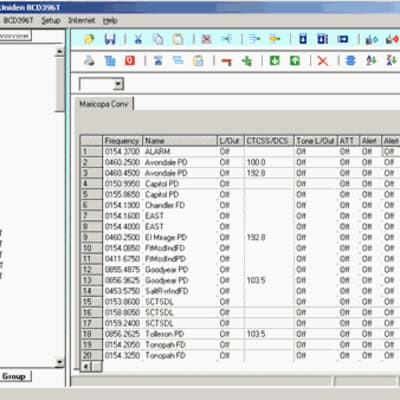
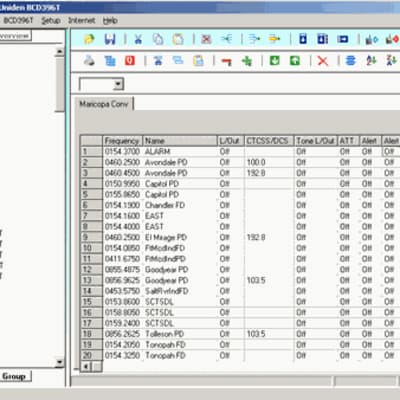
Programming modern scanners can be time-consuming, especially when working with large frequency databases, trunked radio systems, or multiple scanning lists. Scanner software simplifies the process by allowing you to organize, edit, save, and transfer programming data between your computer and scanner.
Butel software is designed specifically for supported RadioShack scanner models and provides an easy way to customize your radio for local public safety, aviation, railroad, amateur radio, and other monitoring interests. Many programs also allow you to create backups of your scanner configuration, making future updates quick and simple.
If you're unsure which software is compatible with your scanner, check the model-specific listings above or contact Scanner Master for assistance.
Frequently Asked Questions
Q: What software do I need for my RadioShack scanner?
A: The correct software depends on your specific RadioShack scanner model. Each product listing identifies the compatible scanners. Be sure to verify your scanner's model number before purchasing.
Q: Do I need a programming cable?
A: In most cases, yes. Programming software requires a compatible USB or serial programming cable to transfer data between your computer and scanner. Check your scanner's requirements and product documentation for compatibility information.
Q: Is programming software easier than entering frequencies manually?
A: For most users, absolutely. Programming software allows you to manage channels, frequencies, talkgroups, and scanner settings from a computer, which is typically much faster and more convenient than entering information through the scanner's keypad.