Programming software for the Icom R2.
Download the DEMO.- Easy user interface
- Program frequencies upto 1599 MHz (!) in your memory banks. (R2 only specified upto 1300 MHz)
- Program the new 8.33 step for Airband into your memories! 8.33 step is not available in VFO mode.
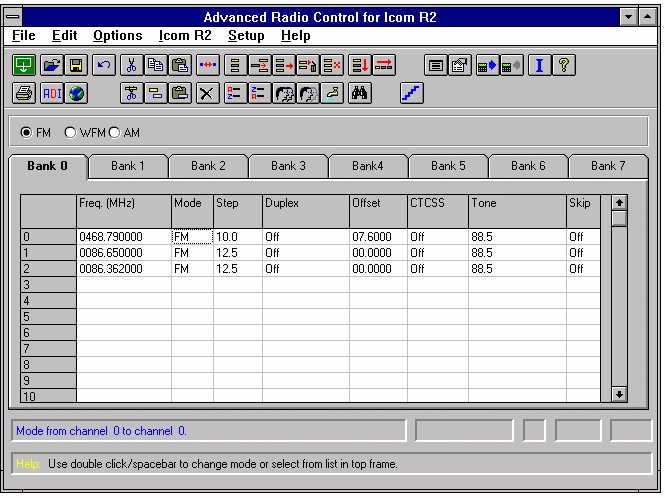
- Setup your Icom R2 Memory and Search banks in a spreadsheet type interface.
- Add comments to your memory channels / search banks (not stored in R2)
- Setup your own bank 'tags'
- Table tags are saved in memory files
- Easy cut/copy/paste data between channels and banks.
- Extra cut/copy/paste buttons that select entire channel data
- Import CSV data
- Export CSV data
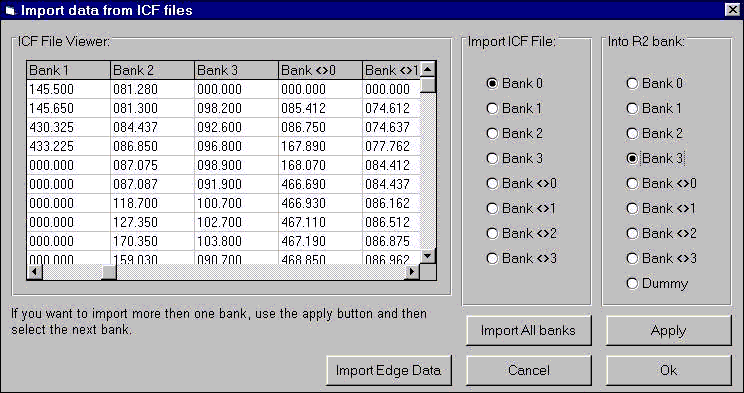
- Import ICF files from Icom software or the online free Percon database
- Merge ICF files into your current settings, so using Percon files will not force you to re-setup your scanner! (see screenshot below of import ICF data window )
- Cleanup Percon ICF files. The cleanup will remove all duplicates.
- Full clipboard support for import/export data to/from other applications
- Insert/remove/delete/swap/sort channels with a few mouse clicks
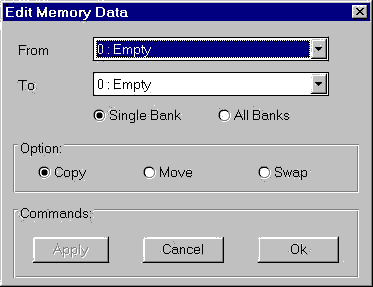
- Move/Copy/Swap entire memory banks
- Easy data toggle with mouse double click or space bar
- Sort frequencies per bank or all banks
- Remove duplicate frequencies
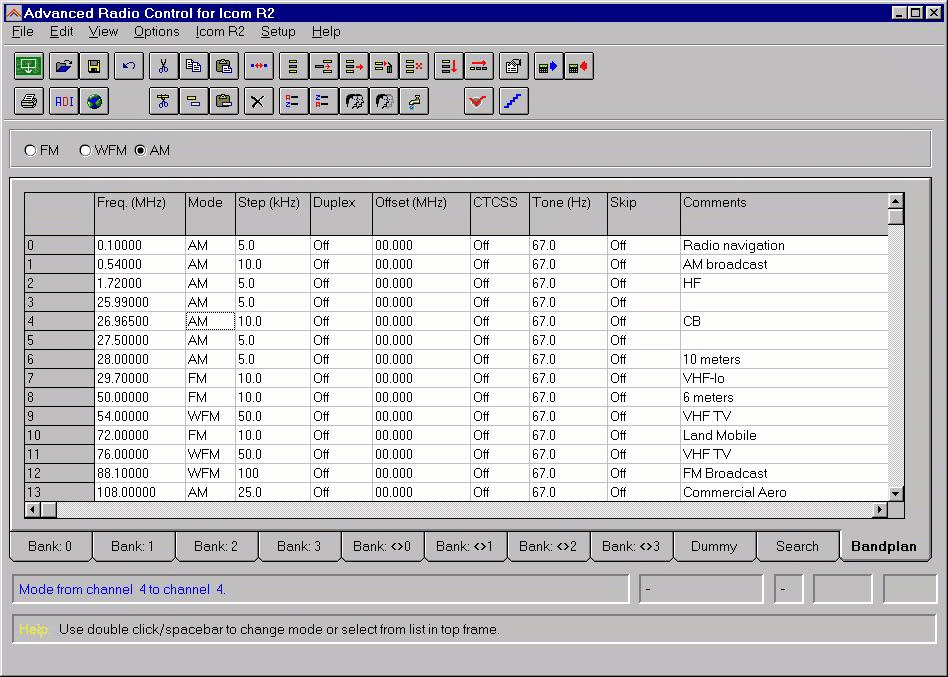
- User adjustable frequency bandplan: type in a frequency and software will select right mode and step. (see screenshot below of bandplan)
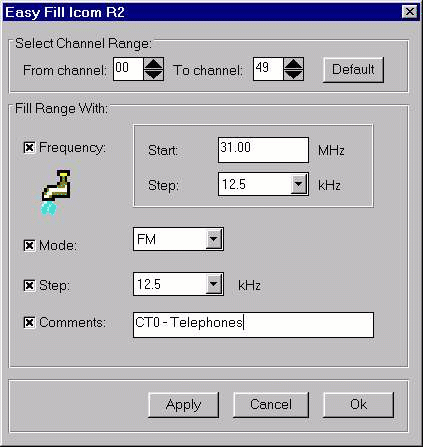
- Easy Fill for setting up new banks in a few seconds (enter a start frequency and a step, and easyfill will calculate and fill the selected bank)
- Extra Dummy bank for storing temporary data while you are re-organising your memories.
- Print option
- Smart-Info
- Reprogram 9 kHz MW step to 10 kHz step (Euro models only!)
Updated support for 9 kHz step in AM band (not available for US version of R2!)
Compatible with Windows 3.1 / 95 / 98 / NT4 / ME / XP / 2000 (2000 requires sp2). (Not compatible with Windows Vista / 7)
Screenshots:
Screenshot of the memory channel manager. You can clearly see the spreadsheet type interface:
![]()
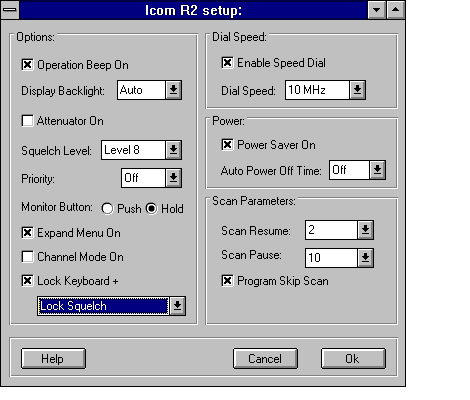
Setup additional options:
![]()
For your convenience, ARC2 has a bandplan options. The software 'knows' the right mode, step and offset:
![]()
Import ICF files from Icom software or get free files from the Percon Database:
![]()
Easyfill: setup a bank in a few seconds:
![]()
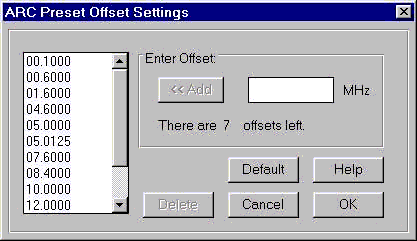
You can customize the offsets:
![]()
Swap/Copy/Move entire banks or channels with a few clicks:
![]()
Mail the author of this software. |