By Jonathan Higgins - Scanner Expert
Please follow the step by step instructions on how to install the drivers for the Uniden USB Programming Cable (BWZG1666001)
Step 1
Download the serial driver required for your scanner (Save it to your desktop)
Step 2
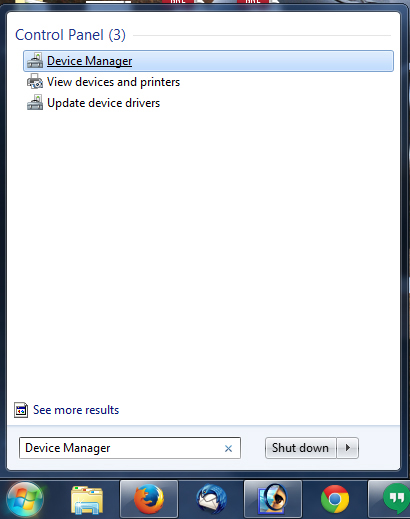
Go to your start menu and search "Device Manager"
Step 3
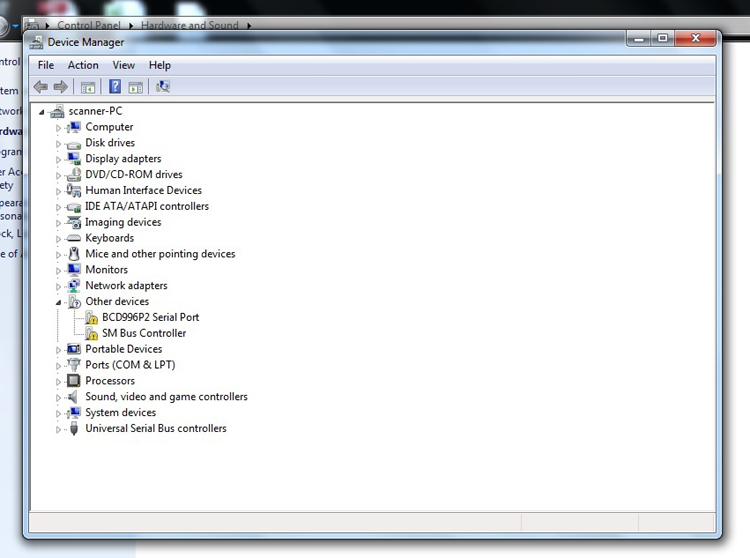
Connect the Uniden USB Programming cable to your computer and scanner. Note your scanner should be powered on. Once connected the cable should appear in your "Other Devices" as seen bellow.
Step 4
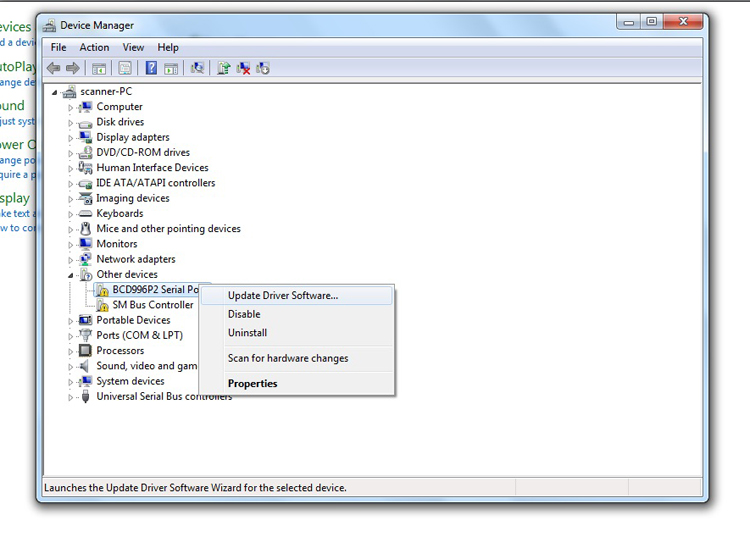
Right Click on the "Other Devices" port with your scanners name in it. Then select "Update Drivers Software..."
Step 5
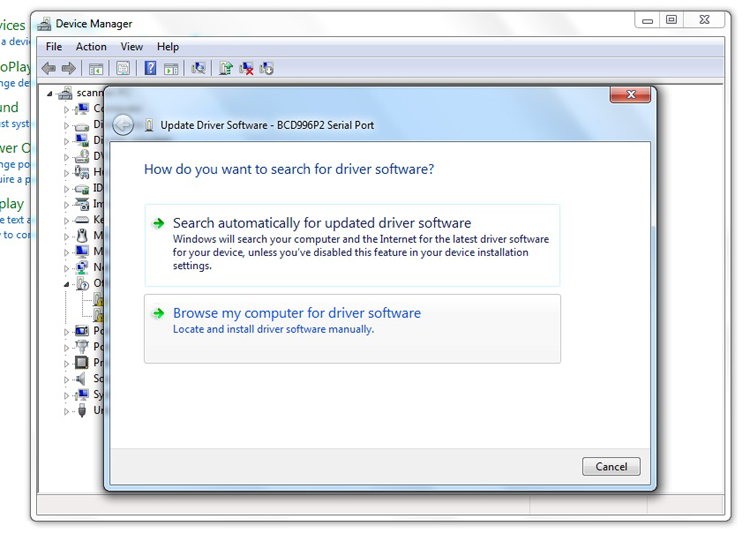
Select "Browse my computer for driver software"
Step 6
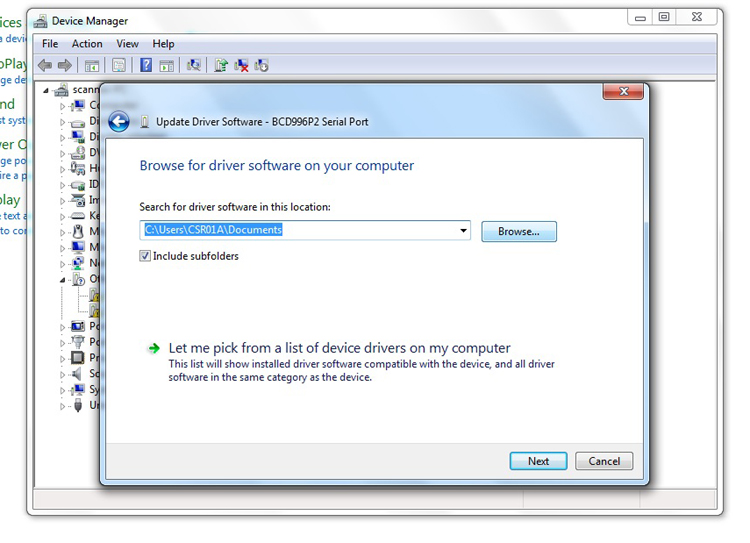
Click the "Browse..." button to point your computer at the Uniden drivers folder
Step 7
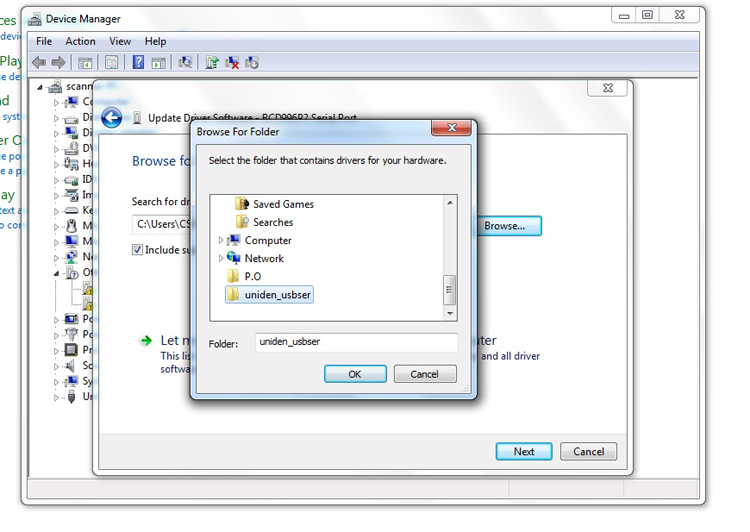
Select the "uniden usbser" folder and click "OK"
Step 8
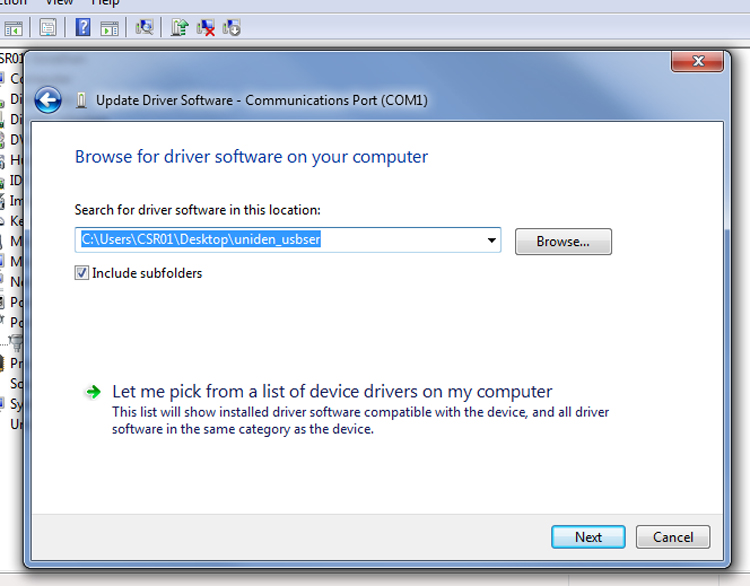
Click "Next"
Step 9
Click "Install"
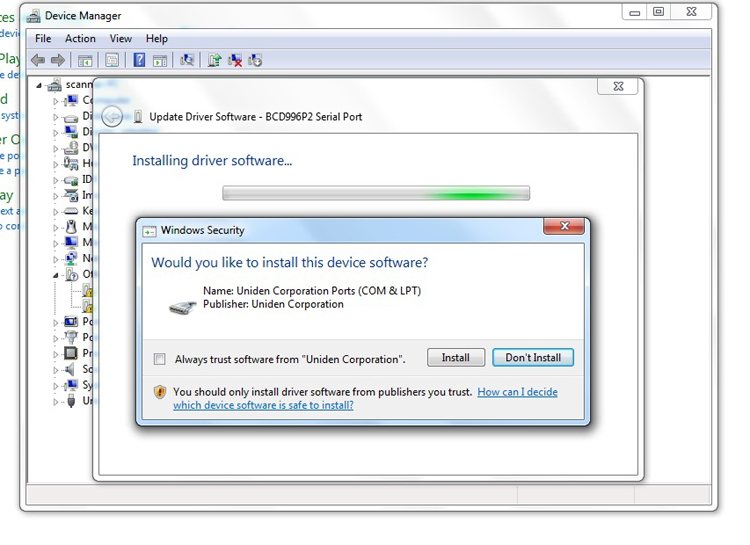
Step 10
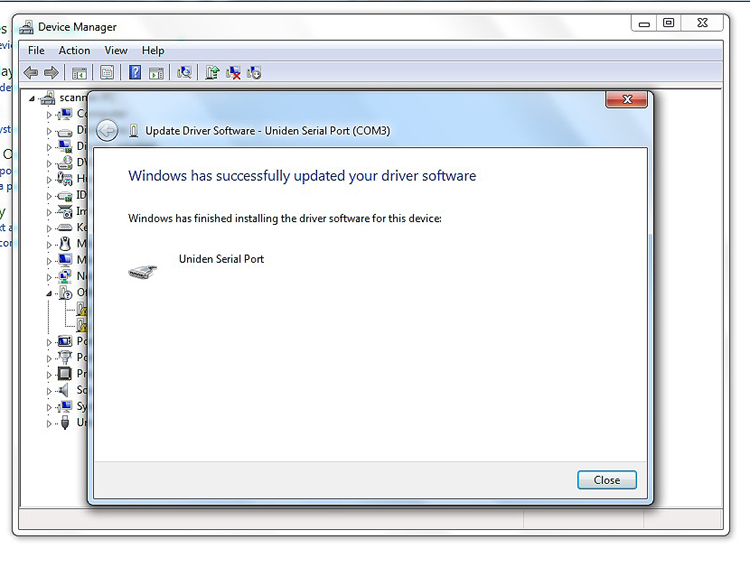
Click "Close"