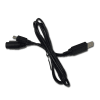
This 4' cable is required to connect the BC-GPSK Uniden GPS Receiver to the Uniden Bearcat BCD325P2 and the SDS100 Scanner. If you have the BC-SGPS GPS you do not need this cable. Watch the how to video below on setting it up.
Understanding GPS Scanning Programming based GPS scanning requires that the Systems, Sites and Groups (or Favorites Lists) be programmed with GPS coordinates and ranges. The GPS sends the location to the radio and when the radio determines that you are within the circle drawn based on the location and range it turns on that item. When you leave the circle it turns it off.
If you use your scanner over a wide area a GPS can allow you to automatically turn on and off systems, sites, groups and/or Favorites Lists automatically and without having to punch in a ZIP Code all the time. If you only use the scanner at home or around a small area a GPS wouldn’t help you but if you travel a lot (RV folk, truckers etc.) it can be invaluable.
Reviews
Average Customer Review:
( 2 )
Timothy Appling from Key Largo, FL United States
September 4, 2018
Users found this review helpful:
SDS100 GPS Adapter
Got the new SDS100 Scanner and already had the GPS Module for my BCD436HP but needed the Adapter Cable to attach it to my SDS100. Works perfectly.
Was this review helpful to you?
Mike Cooper from Bear, DE United States
November 28, 2015
ADDED FUNCTIONALITY FOR YOUR BCD325P2
This cable will allow you to connect a Uniden GPS (BC-GPSK) to your radio. The 325 has some really nice GPS features that allow you to add waypoints and other POI to the radio that can be set to alert you when approaching. You can even monitor your vehicle's speed. If using the Uniden GPS model mentioned above, you will really only need the GPS puck. This cable will both power your radio an